
You have a great idea for a website. Maybe you want to launch a news portal in Dhaka, start a personal blog, or open an online store targeting customers across Bangladesh. You have the vision, but there is one technical hurdle standing in your way: understanding how to get your website on the internet.
If you feel overwhelmed by server jargon, you are not alone. Understanding how web hosting works is the first step to building a successful online presence. Think of web hosting as renting land on the internet. Just as a physical store needs a real estate plot to build on, your website needs server space to store its files, images, and data.
In this guide, we break down the mechanics behind web hosting, explain essential technical terms without the complex jargon, and show you exactly how to choose the right hosting plan for your specific needs.
What is Web Hosting?
Every website on the internet is essentially a collection of files. These files contain code, text, images, and videos. For people to see your website, these files must live on a secure, powerful computer that connects to the internet 24/7. This computer is called a server.
When you purchase a web hosting plan, you rent space on a physical server managed by a hosting provider. The hosting provider ensures the server runs smoothly, protects it from malicious attacks, and delivers your website content to visitors who type your domain name into their browser.
Without a web hosting service, you would have to buy your own server, keep it running constantly, and manage all the complex security protocols yourself. Hosting providers take care of this heavy lifting so you can focus on running your business.
How Web Hosting Works: The Step-by-Step Process

To understand exactly how web hosting works, we need to look at what happens when someone visits your website. It all happens in a matter of milliseconds.
Here is the process broken down:
- The User Enters Your Domain: A visitor types your website address (like yourbusiness.com.bd) into their web browser.
- The Domain Name System (DNS) Connects: Your web browser connects to the DNS. Think of the DNS as the internet’s phonebook. It translates your easy-to-read domain name into a numerical IP address that computers use to identify each other.
- The Request Reaches the Server: Once the browser finds the IP address, it sends a request to your web hosting server asking for your website’s files.
- The Server Delivers the Content: Your hosting server processes the request, gathers the necessary files, and sends them back to the user’s browser.
- The Website Loads: The visitor’s browser pieces the files together and displays your fully functioning website on their screen.
This seamless data exchange relies heavily on the quality of your hosting provider. A high-quality host ensures this process happens instantly, keeping your visitors happy and engaged.
Key Web Hosting Terms Explained

When shopping for hosting, you will encounter several technical terms. Let us clarify the most important ones so you can make informed decisions.
Domain Name System (DNS)
As mentioned earlier, the DNS translates human-friendly domain names into machine-readable IP addresses. You can learn more about how domains interact with the global internet infrastructure through ICANN, the organization that coordinates these unique identifiers across the world.
SSL Certificate
SSL stands for Secure Sockets Layer. It is a security protocol that encrypts the data passing between your website and your visitors. When you have an SSL certificate, your website address starts with “HTTPS” instead of “HTTP,” and a small padlock icon appears in the browser bar. This builds trust and is a known ranking factor according to Google Search Central.
Uptime
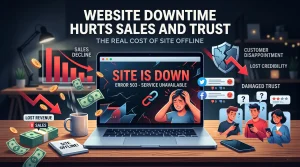
Uptime refers to the percentage of time your website is accessible to visitors. If your server crashes, your website goes down. You should always look for a hosting provider that guarantees at least 99.9% uptime. Every minute your site is down, you risk losing readers, customers, and revenue.
Bandwidth
Bandwidth is the amount of data your website can transfer to visitors over a specific period, usually a month. If your site features large video files or experiences massive traffic spikes, you need higher bandwidth. If you exceed your limit, your site might slow down or become temporarily unavailable.
Server Latency
Latency is the delay before a transfer of data begins following an instruction. High latency means a slow-loading website. To reduce latency, you should host your website on a server geographically close to your primary audience.
The Power of BDIX Hosting for Bangladeshi Websites
If your target audience lives in Bangladesh, you need to know about BDIX. The Bangladesh Internet Exchange (BDIX) is a local network hub that connects major Internet Service Providers (ISPs) within the country.
When you use BDIX Shared Hosting or a BDIX VPS/RDP, your website data travels through this local network rather than routing through international servers.
Why does this matter?
- Lightning-Fast Speeds: Data travels a much shorter distance, drastically reducing server latency.
- Better User Experience: A fast-loading site keeps visitors from clicking away in frustration.
- Local Reliability: Even if international internet submarine cables experience disruptions, your locally hosted website remains accessible to Bangladeshi users.
For local businesses, startups, and news portals, leveraging BDIX is a massive competitive advantage.
Different Types of Web Hosting

Not all websites have the same needs. A small personal blog requires far fewer resources than a massive ecommerce platform. Here are the most common types of hosting available:
Shared Hosting
Shared hosting places your website on a server alongside many other websites. You all share the server’s resources, including memory and processing power. It is the most affordable option, making it perfect for beginners and small businesses. If you are a student, you might want to explore Student Budget Hosting to get your first project off the ground.
VPS Hosting
Virtual Private Server (VPS) hosting still involves sharing a physical server, but the provider divides it into distinct virtual compartments. You get dedicated resources just for your website. This means another website’s traffic spike will not slow yours down. It is ideal for growing businesses that need more power but cannot afford a dedicated server.
Cloud Hosting
Cloud hosting pulls resources from a network of multiple servers rather than a single physical machine. If one server fails, another instantly takes over. This offers maximum uptime and scalability. Large corporations often rely on Corporate Web Hosting powered by cloud technology to handle high traffic volumes safely. You can read more about how global cloud networks operate by visiting Cloudflare.
Reseller Hosting
If you are an agency or a web developer, you can purchase hosting space and resell it to your clients. A plan like BDIX Reseller Hosting allows you to create custom hosting packages and manage multiple client sites under one central dashboard.
Ecommerce and Specialized Hosting
Some hosting plans are optimized for specific platforms or business models. For example, an online store needs robust security and fast database processing, making UDDOKTA Ecommerce Hosting an excellent choice. Similarly, if you run a high-traffic news site that publishes dozens of articles daily, Newsportal Hosting ensures your site handles the load without crashing.
How to Choose the Right Hosting for Your Project
Selecting the right plan depends entirely on your goals. Here is a quick guide tailored to common Bangladeshi projects:
1. The Local Startup or Small Business
If you are setting up a standard business website to showcase your services, start small. A reliable shared hosting plan provides everything you need. As your traffic grows, you can easily upgrade.
2. The Tech Blogger or Freelancer
If you use WordPress, look for plans optimized for the platform. The WordPress.org community strongly recommends hosts that offer easy, one-click installations and automatic updates. You might also want to consider international servers like German Web Hosting or Singapore Web Hosting if your audience extends beyond Bangladesh.
3. The Growing Ecommerce Store
Online shoppers have zero patience for slow websites. If a page takes longer than three seconds to load, they will abandon their cart. Invest in premium hosting with ample bandwidth, strict security protocols (SSL is mandatory), and rapid response times. German Premium Hosting is known for rigorous data protection standards and stellar performance for global stores.
4. High-Traffic News Portals
News sites experience sudden, massive traffic spikes when a major story breaks. Shared hosting cannot handle this. You need the dedicated resources of a VPS or cloud hosting setup to ensure your site stays online when it matters most.
Mistakes to Avoid When Choosing a Host
Many beginners make critical errors when purchasing hosting. Keep these pitfalls in mind:
- Focusing Only on Price: Free or ultra-cheap hosting usually comes with hidden costs, poor security, and terrible uptime. You get what you pay for.
- Ignoring Customer Support: Server issues do not stick to a 9-to-5 schedule. Ensure your provider offers 24/7 technical support, preferably with local language options if you prefer speaking in Bengali.
- Forgetting About Backups: Technology fails. If your server crashes or your site gets hacked, you need a recent backup. Choose a host that performs automatic daily or weekly backups.
- Overlooking Scalability: Your website will hopefully grow. Pick a hosting provider that allows you to easily upgrade your plan without experiencing significant downtime.
Conclusion
Understanding exactly how web hosting works removes the fear from building your online presence. It all comes down to renting secure server space, managing your DNS, and ensuring your provider delivers excellent uptime and speed.
Whether you need a localized BDIX solution for a Dhaka-based startup or a high-performance Singapore server for an international blog, choosing the right foundation dictates your website’s success. Look for a provider that offers rock-solid reliability, responsive customer support, and the specific resources your project demands.
Start your website today with reliable hosting that supports your vision.
Frequently Asked Questions (FAQ)
1. What is the difference between a domain name and web hosting?
Your domain name is your website’s address (like yoursite.com), while web hosting is the physical server space where your website’s files live. You need both to run a website.
2. How does web hosting work for a WordPress site?
The core process is the same. The hosting server stores your WordPress core files, themes, plugins, and database. When a visitor arrives, the server processes the PHP code and database queries to display the final web page.
3. Why is BDIX hosting important for Bangladeshi websites?
BDIX hosting routes local traffic through domestic networks instead of international cables. This drastically reduces loading times and server latency for visitors located inside Bangladesh.
4. Can I upgrade my hosting plan later?
Yes. Most reputable hosting providers allow you to easily scale your resources. You can seamlessly move from a shared hosting plan to a VPS or cloud plan as your traffic increases.
5. Do I need technical skills to manage web hosting?
Not necessarily. Modern hosting providers offer user-friendly control panels (like cPanel) that make it easy to manage your files, install software, and set up email accounts without writing any code.
6. What happens if I exceed my bandwidth limit?
Depending on your host, they may temporarily throttle your site speed, take your site offline, or automatically upgrade you to a higher tier and bill you the difference. Always monitor your traffic and choose an appropriate plan.
7. How can I ensure my website stays online?
Choose a hosting provider with a strict 99.9% uptime guarantee, utilize automated backups, and implement robust security measures like SSL certificates and malware scanning.
Ready to bring your idea to life? Do not let technical hurdles hold you back. Secure your domain, pick the perfect hosting plan for your audience, and start building your digital future right now.